Email, read in context
Less sorting.More getting on with your day.
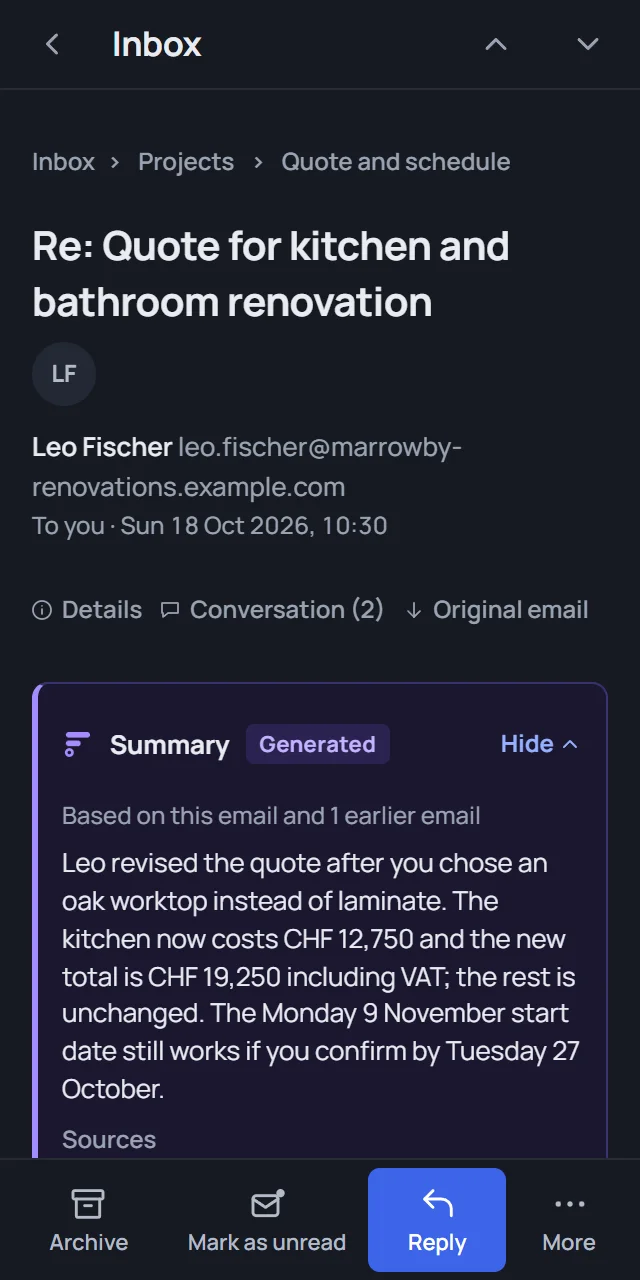
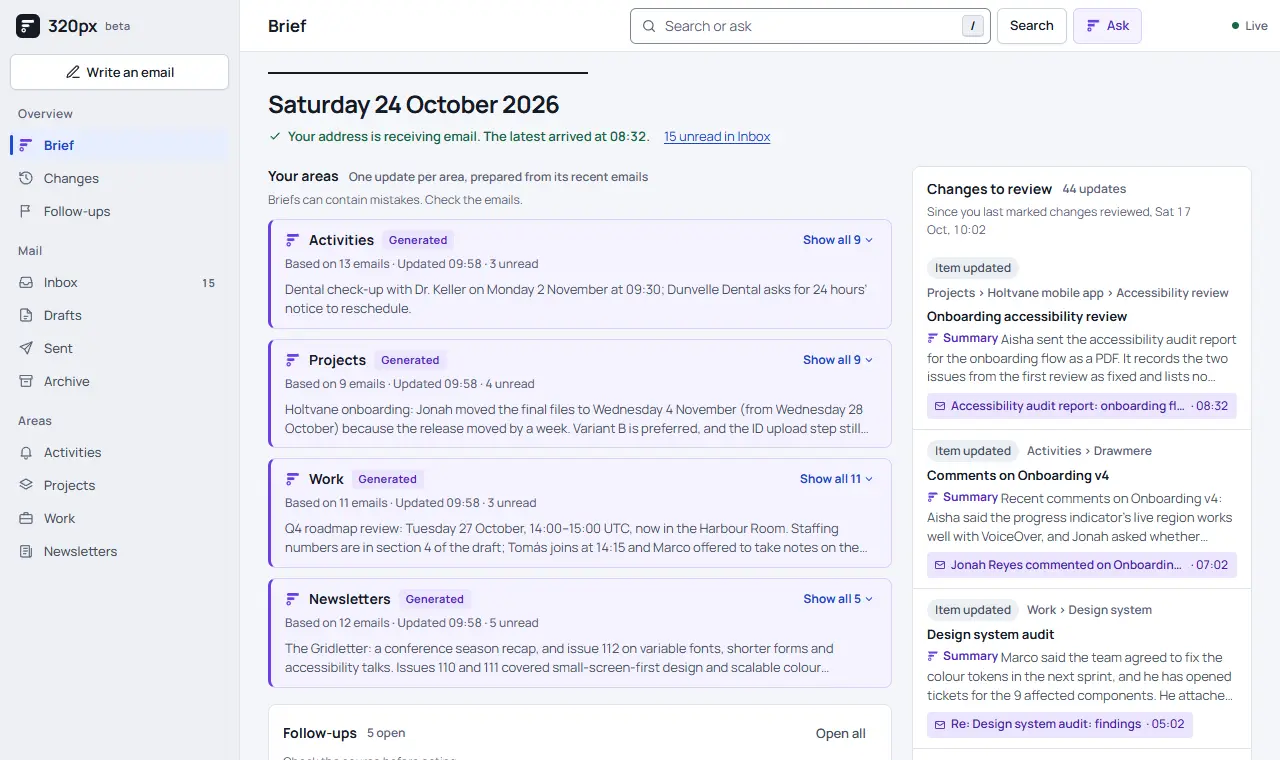
320px gives you an email address whose messages arrive grouped by area and topic. Each topic carries a short summary with links back to the original messages, and you can search by keyword or by meaning.
320px is in beta. Generated context links back to the original messages. The preview uses invented messages.
What you get
The messages, the context,and the way back to the source.
Areas and topics
Messages are sorted into Activities, Projects, Work and Newsletters. Topics keep related messages together, and you can move a message when the grouping is wrong.
Summaries that cite
Topic summaries show what changed, with quotes and links to their sources. Ask can answer questions using your messages and shows when it cannot find an answer. Check the source links for the full context.
Reply from the same place
Reply, forward or save a draft. Calendar invitations are previewed first, and a response is only sent after you confirm it.
How it works
Three steps,no new habits.
- Step 1
Choose your address
Create an account and pick a username. Your address is username@320px.com.
- Step 2
Send email to it
Use the address directly, or forward email to it from your current mailbox. Your mailbox settings show when setup is ready.
- Step 3
Read by topic
Open an area, scan its topics and changes, and check the original message whenever you want the full text.
Your data
Clear boundaries,written down.
Originals, attachments and generated context are kept while your workspace exists. Exports are available from Data settings, and workspace deletion waits for mail routes to be cleaned up before it removes application data.